

Latest Version
King's College London
IT Tools
Linux
Free
org.bluej.BlueJ
Report a Problem
More About BlueJ
An Interactive Introduction to Object-Oriented Programming
For those starting their journey into software development, the initial learning curve can feel incredibly steep. BlueJ Java beginner IDE is specifically designed to alleviate this friction. Developed by King's College London, this unique educational environment shifts the focus from complex syntax management to understanding the core concepts of object-oriented programming on the Linux platform.
Unlike traditional, industrial-strength development environments that can overwhelm newcomers with endless menus and configurations, this tool provides a highly visual, clean interface. It allows students and self-taught developers to grasp how classes and objects interact without getting bogged down in boilerplate code.
Key Features of the BlueJ Java Beginner IDE
The design philosophy here is entirely educational. Every feature included serves to make the mechanics of Java programming more transparent and easier to digest:
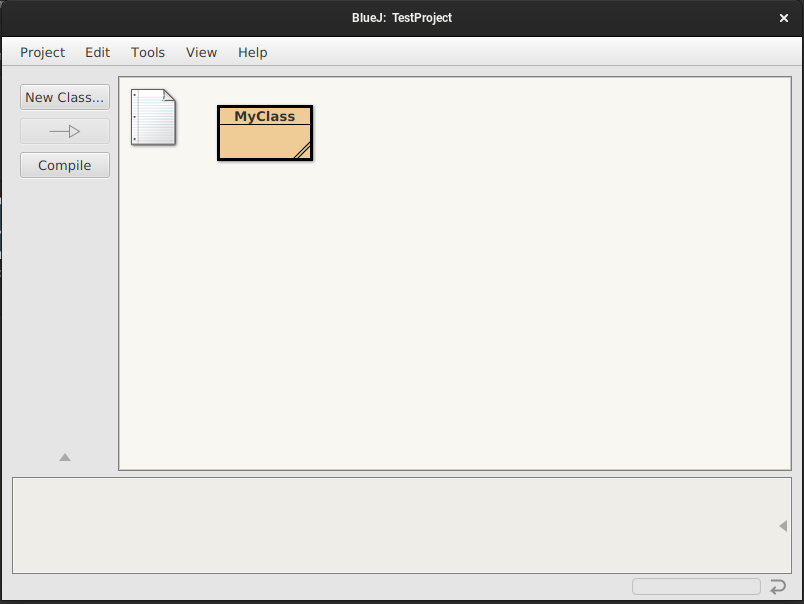
- Visual Class Diagrams: The main screen displays your project structure as a UML-like class diagram. This visual representation helps users immediately grasp the relationships between different parts of their code.
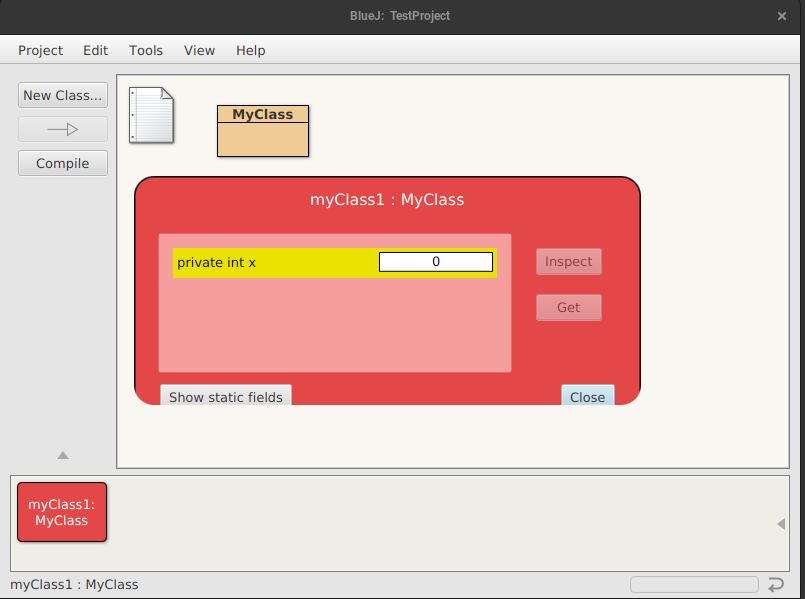
- Interactive Object Creation: You can instantiate objects directly from the class diagram. Once created, these objects sit in a dedicated workbench area, allowing you to interact with them dynamically.
- Direct Method Calling: Users can invoke methods on individual objects with a simple right-click. This GUI-based method calling lets you test behavior instantly without writing a main method or compiling a separate test harness.
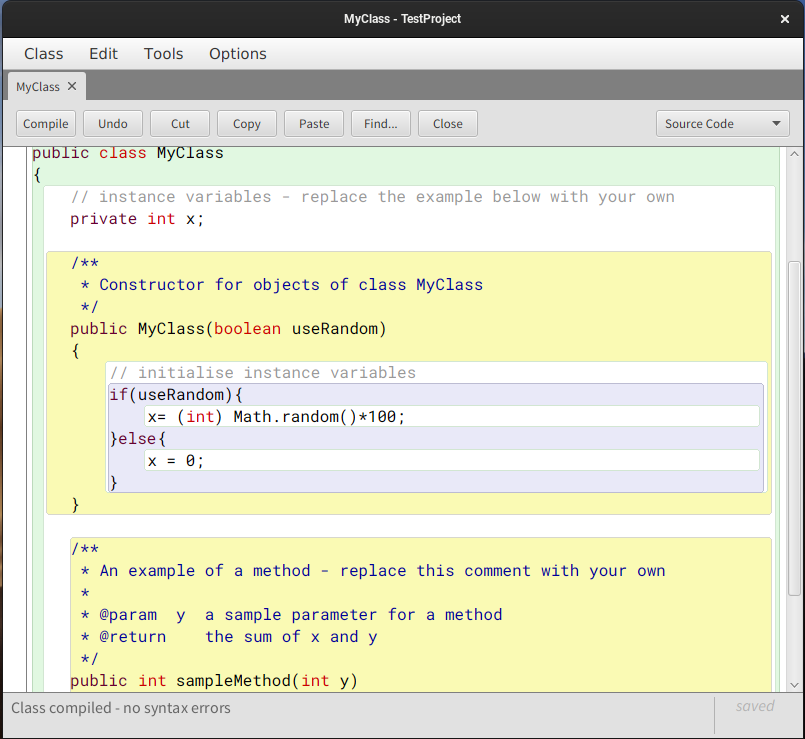
- Integrated Basic Debugger: A straightforward debugger is built right into the interface. It allows learners to set breakpoints, step through execution, and inspect variable states, making it easier to track down logic errors.
Who Is This Tool For?
This software is built from the ground up for academic environments, computer science instructors, and individuals taking their very first steps in Java. By stripping away the visual clutter found in professional enterprise IDEs, it provides a safe sandbox where conceptual understanding comes first. While seasoned software engineers will eventually require more advanced development suites, this application serves as the perfect stepping stone to build structural confidence.
Explore the Software Further
If you are looking for a highly visual, conceptual, and stress-free way to master the fundamentals of Java, this platform is an outstanding choice. You can find more details and access the application directly on its official distribution page via the Flathub Store.
Rate the App
User Reviews

Popular Apps










Editor's Choice