
Latest Version
andreu biosca
Security
Mac
Free
1638733114
Report a Problem
More About PasswordsApp password manager
The Ultimate Solution for Digital Disorganization
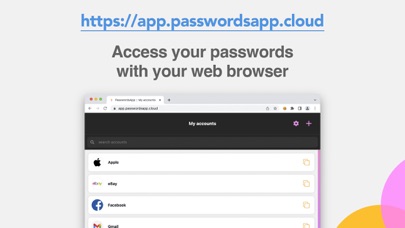
Imagine sitting down to pay an urgent bill or log into a critical work portal, only to realize you cannot remember which variation of your password you used. As digital citizens, we manage dozens of accounts daily, making secure credential storage an absolute necessity. The PasswordsApp password manager by developer Andreu Biosca offers a highly secure, native solution designed specifically to end this frustration for Apple users.
Robust Encryption Grounded in Apple Standards
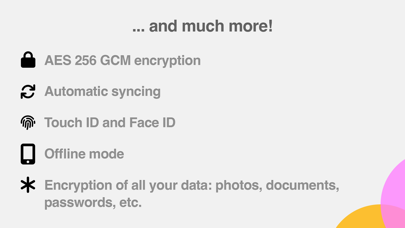
Security is the foundation of any credential vault, and the PasswordsApp password manager delivers peace of mind by employing the military-grade AES 256 GCM encryption standard. By leveraging native Apple cryptographic functions, the utility ensures your data remains locked tight. Every piece of information—including account titles, custom field names, values, logos, comments, and attached files—is fully encrypted using your master private key. Without this key, decrypting your database is virtually impossible.
Key Features and Everyday Utility
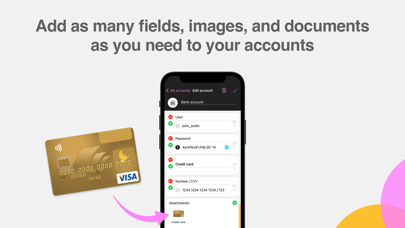
- Secure Document Attachments: You can attach photos and digital documents directly to any entry, allowing you to carry protected copies of your driver's license, health insurance cards, or credit cards wherever you go.
- Biometric Integration: Access your vault instantly using Touch ID, Face ID, Apple Watch authentication, or a traditional master password.
- Smart Offline Synchronization: An efficient synchronization protocol transfers only modified accounts to the server, minimizing network exposure. Plus, a full offline mode lets you access credentials without an internet connection.
- Tailored Templates: Six predefined templates (such as bank accounts, software licenses, and basic logins) help you organize your data, with the flexibility to add custom fields as needed.
- Automatic Protection: The application automatically locks after 30 seconds of inactivity, safeguarding your data from physical prying eyes.
Who Is This Security Tool For?
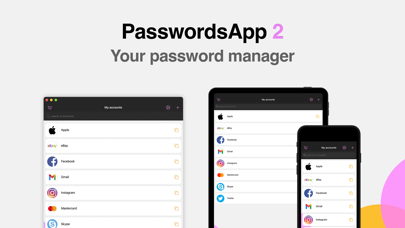
This utility is an excellent fit for macOS and iOS users seeking a streamlined, platform-native security tool. Whether you are a tech-savvy professional managing complex system credentials or a casual user wanting a simple way to store shopping logins, its intuitive interface caters to all experience levels. With support for macOS Monterey (or later) and iOS 15 (or later), your data stays synchronized across your entire Apple ecosystem. Furthermore, any in-app purchases sync effortlessly, meaning you only buy once to access premium features across all your personal devices.
Our Editorial Verdict
The PasswordsApp password manager stands out by balancing heavy-duty cryptographic security with user-friendly operation. By keeping data synchronized efficiently and offering robust backup options, it minimizes the risks associated with modern digital life. To secure your digital identity and explore its features firsthand, head over to the official App Store to try the application on your Mac or iOS device today.
Rate the App
User Reviews



Popular Apps










Editor's Choice